Best WooCommerce Dropshipping Plugins: 10 Options Compared
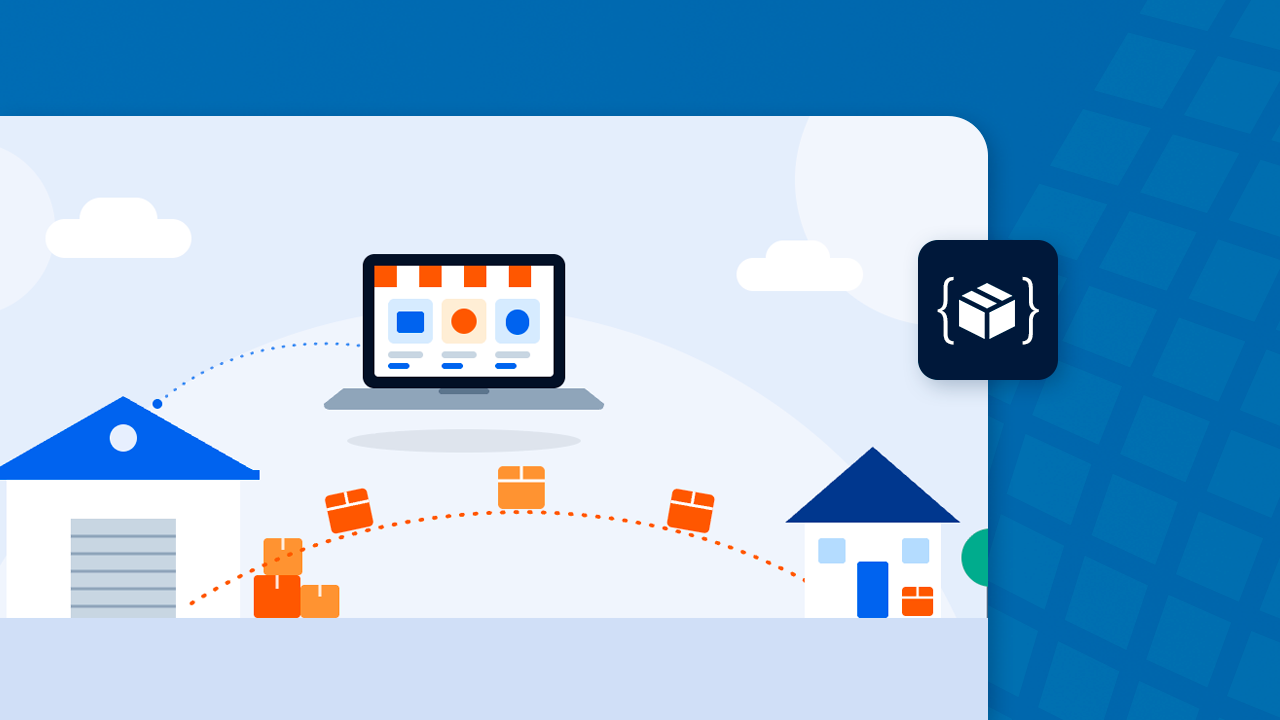
WooCommerce can sell almost anything, but it has no idea where your products come from. There is no supplier field, no stock feed and no button that sends a paid order to a wholesaler. That is the job of a WooCommerce dropshipping plugin: it imports products from a supplier, keeps prices and stock in sync, forwards orders for fulfillment and brings the tracking number back to your customer.
The catch is that “dropshipping plugin” covers very different tools — AliExpress importers, curated US and EU supplier marketplaces, print-on-demand services, order-routing extensions for your own vendors and delivery tracking for parcels you never see. Below we compare ten of them by supplier source, price and how much of the workflow they actually automate, then walk through setting up dropshipping on WooCommerce.
How dropshipping with WooCommerce works
In a dropshipping store you sell products you never hold. The customer pays you at your retail price, you buy the item from the supplier at wholesale, and the supplier ships it straight to the customer. Your margin is the difference, minus fees.
On WooCommerce that loop has four steps, and every plugin in this list automates some of them:
- Product import. Titles, images, variations and descriptions move from the supplier catalog into WooCommerce products, with your markup applied.
- Price and stock sync. When the supplier changes a price or runs out of stock, your store updates — otherwise you sell items you cannot deliver.
- Order forwarding. A paid order is sent to the supplier with the customer’s shipping address, either through an API, a browser extension or an email to the vendor.
- Tracking back to the customer. The supplier’s tracking number is written to the WooCommerce order and shown to the shopper.
Because WooCommerce is self-hosted and open source, you pick a separate tool for each step — or one platform that covers all four. That flexibility is the main reason merchants choose dropshipping on WooCommerce instead of a hosted platform.
What to look for in a WooCommerce dropshipping plugin
- Supplier source first. Decide whether you want AliExpress and other Chinese marketplaces, US/EU suppliers with faster delivery, print on demand, or your own wholesalers. That choice alone removes most of the list.
- Automatic sync, not just import. A one-time import is easy. Ongoing price and stock updates are what keep you out of refunds and chargebacks.
- How orders reach the supplier. API fulfillment with one click (or none) scales; copying addresses into a supplier’s checkout does not.
- Multi-supplier orders. If one order contains items from two vendors, the plugin should split it and route each part to the right supplier.
- Tracking numbers. Check whether the plugin writes tracking back to WooCommerce automatically and whether customers see it in emails and on an order tracking page.
- Pricing model. One-time licence, annual licence, monthly subscription, or free plugin with per-order product costs — all four exist below.
- Maintenance. A plugin that handles your orders must keep up with WordPress and WooCommerce releases. Check the last update date before you install.
Quick comparison of WooCommerce dropshipping plugins
| Plugin | Supplier source | Price | Best for |
|---|---|---|---|
| SmartyParcel Delivery Tracker | Any supplier — tracks 1,000+ carriers | Free plan with monthly quota | Tracking, customer notifications and order automation for dropshipped orders |
| ALD (VillaTheme) | AliExpress | Free; Pro version available | Starting with AliExpress at zero cost |
| AliDropship | AliExpress | $89 one-time | AliExpress stores that avoid subscriptions |
| DSers | AliExpress | Free plan; paid from ~$20/month | Bulk AliExpress ordering and supplier switching |
| Spocket | Curated US/EU and global suppliers | From $39.99/month | Faster delivery to US and EU customers |
| Syncee | US, CA, EU, UK, AU suppliers + custom feeds | Free plan; paid plans for imports | Western suppliers and wholesale feeds |
| CJdropshipping | CJ catalog, 1688/Taobao sourcing, US warehouses | Free plugin; pay per order | Sourcing requests and warehousing |
| Dropshipping for WooCommerce (OPMC) | Your own suppliers, CSV, AliExpress | $79/year | Routing orders to local vendors by email |
| Dropshipping XML (WP Desk) | Any supplier XML/CSV feed | Paid licence | Wholesalers that publish a product feed |
| Printful | Print on demand | Free; pay per item sold | Custom-branded products |
The 10 best WooCommerce dropshipping plugins
1. SmartyParcel Delivery Tracker — delivery tracking for dropshipped orders
Every plugin below gets the order to the supplier. SmartyParcel Delivery Tracker takes care of what happens next: the parcel itself. It is not a product importer — it works alongside whichever sourcing plugin you choose and follows every shipment from the supplier to your customer’s door.
That matters more in dropshipping than anywhere else. One order can be split between several suppliers and arrive in several packages, and tracking numbers often belong to cross-border carriers such as Yanwen, YunExpress or ePacket that your customers have never heard of.
- Add tracking numbers from the orders list or the order screen, with the carrier for each one — including several numbers per order for split shipments.
- See live delivery statuses — in transit, available for pickup, delivered, exception — in the WooCommerce orders list, with the full tracking history on the order screen.
- Notify customers automatically when the delivery status changes, so they do not have to email you or look up an unknown carrier.
- Automate order statuses: for example, mark the order as completed as soon as the parcel is delivered.
- Follow delivery rate and exception rate on a dashboard, so supplier problems show up before refund requests do.
- Track 1,000+ carriers in about 120 countries; works with HPOS, WPML, Polylang and multi-currency stores.
Price: free plan with a monthly tracking quota; paid plans only when you track more shipments than that. Adding tracking numbers works without an account — automatic updates start when you connect the store to SmartyParcel.
Best for: every dropshipping store that wants to stop answering “where is my order?” by hand.
2. ALD – Dropshipping and Fulfillment for AliExpress and WooCommerce
ALD by VillaTheme is the most installed free AliExpress importer in the WordPress directory, with 10,000+ active installations. A companion Chrome extension adds products from AliExpress to an import list, where you edit titles, variations, images and prices before pushing them to WooCommerce. Pricing rules apply your markup automatically, and orders for imported products can be fulfilled on AliExpress through the same extension.
The free version is enough to import products and process your first orders; a paid Pro version unlocks additional automation.
Keep in mind: ALD calculates your price from the AliExpress product price, exchange rate and your rule — shipping cost is not included, so build it into the markup. Ratings on WordPress.org are mixed (around 3.7/5).
Best for: testing AliExpress dropshipping on WooCommerce without paying anything upfront.
3. AliDropship
AliDropship is a standalone WordPress/WooCommerce plugin sold for a one-time $89, with no monthly fee. It imports AliExpress products with variations and reviews, applies pricing formulas, updates prices and stock, and fulfills orders through its browser extension. Over the years it has become the default recommendation for AliExpress dropshipping on WooCommerce in many reviews.
Keep in mind: you are still limited to AliExpress suppliers and their delivery times, and the interface feels older than the SaaS tools in this list.
Best for: AliExpress stores that want to own the tool and avoid recurring subscriptions.
4. DSers
DSers is an official AliExpress partner and one of the most used dropshipping tools on Shopify, with a WooCommerce integration as well. Its strength is order processing: you can place hundreds of AliExpress orders in a few clicks, map variants to several suppliers and switch to a cheaper or faster supplier without rebuilding the product.
The free plan is enough to start; paid tiers start at roughly $20 per month and unlock more stores, products and automation.
Keep in mind: the WooCommerce version has historically lagged behind the Shopify app in features, so check that what you need is available for WooCommerce.
Best for: AliExpress stores with growing order volume.
5. Spocket
Spocket is a supplier marketplace focused on vendors in the US, Europe and other regions with faster delivery than typical AliExpress shipping. You browse the catalog, import products to WooCommerce, and Spocket syncs stock and pushes orders to the supplier. Many suppliers offer branded invoicing.
Plans start at $39.99 per month and go up to $299.99 for large catalogs; annual billing is cheaper.
Keep in mind: margins on curated Western suppliers are thinner than on AliExpress, and the number of products you can import depends on your plan.
Best for: stores selling to US and EU customers who will not wait three weeks for a parcel.
6. Syncee
Syncee connects WooCommerce to a marketplace of suppliers from the US, Canada, the EU, the UK and Australia. For WooCommerce stores the Marketplace is the main product: you pick suppliers, import products and keep them synced, with orders sent to the vendor. Syncee also works for brands and wholesalers who want to publish their own catalog to retailers.
There is a free plan for exploring the catalog; importing and automatic updates require a paid plan.
Keep in mind: the best suppliers are often available only on higher tiers.
Best for: merchants who want Western suppliers and a choice of wholesale catalogs.
7. CJdropshipping
CJdropshipping is both a supplier and a fulfillment service. The platform is free to connect — no setup or monthly fee — and you pay for products, shipping and optional services such as custom packaging. Besides its own catalog, CJ will source products on request (including from 1688 and Taobao) and can ship from US warehouses for faster local delivery.
Keep in mind: the WordPress.org plugin has not been tested with recent major WordPress releases, so test it on a staging site first; CJ’s web app also supports connecting a WooCommerce store directly.
Best for: stores that want sourcing help and warehousing without a subscription.
8. Dropshipping for WooCommerce (OPMC)
This extension from the WooCommerce Marketplace takes a different approach: it is built around your suppliers. You assign products to vendors (or import a vendor’s inventory from CSV), and when an order is placed each supplier automatically receives an email with order details and a packing slip. Suppliers can log in, mark the order as received and add a tracking number. AliExpress import and Amazon affiliate products are included as extras.
It costs $79 per year for one site; a Pro add-on adds more email customisation.
Keep in mind: reviews on WooCommerce.com average 2.7/5, mostly about the AliExpress part. As an order router for local vendors it does its job.
Best for: stores working with a few local wholesalers that ship on your behalf.
9. Dropshipping XML for WooCommerce (WP Desk)
Many European wholesalers do not have an app — they publish an XML or CSV product feed. Dropshipping XML maps that feed to WooCommerce fields, imports products and re-runs the import on a schedule, so prices and stock stay current. You can combine several feeds and set markup rules per supplier.
Keep in mind: it handles products, not orders — you still need a way to send orders to the supplier. Mapping a feed takes some technical comfort.
Best for: merchants working with wholesalers that provide a structured feed.
10. Printful
Printful is print-on-demand dropshipping: you design T-shirts, mugs, posters or bags, and Printful prints, packs and ships each item when it sells. The WooCommerce integration (50,000+ installs) is free; you pay the base product price and shipping only when an order comes in.
Keep in mind: per-item costs are high compared with wholesale, so margins depend on your brand and design.
Best for: creators and brands selling their own designs.
How to set up dropshipping on WooCommerce
- Install WooCommerce and configure the basics. Currency, taxes, payment gateways and shipping zones. Dropshipping does not remove the need for shipping settings — your checkout still has to show delivery options and prices.
- Choose your supplier model. AliExpress, US/EU marketplace, print on demand or your own wholesalers. Pick the plugin that matches it from the table above.
- Import a small test catalog. Start with 10–20 products, set your pricing rules and check variations and images.
- Set shipping rates that match the supplier. Use flat rates or free shipping built into the price; make delivery times on product pages realistic.
- Place a test order. Buy one product yourself to see how the order reaches the supplier and how long the tracking number takes to appear.
- Publish a shipping and returns policy. State delivery times, tracking and how returns work when the supplier is abroad.
- Make tracking visible. Show tracking numbers in order emails and give customers one place to check their parcel.
Why delivery tracking matters more in dropshipping
Dropshipping plugins are built around the supplier. Once the order leaves for fulfillment, most of them only copy a tracking number into WooCommerce — and that is exactly where customer questions start: “Where is my order?” emails, parcels stuck in customs, deliveries waiting at a pickup point. Without tracking you only learn about a problem when the customer complains or opens a dispute.
Plan this from day one: show realistic delivery times on product pages, attach every supplier tracking number to the order, and let customers receive status updates automatically instead of asking you. A dedicated tracker such as SmartyParcel Delivery Tracker covers this alongside your sourcing plugin. For a wider comparison, see our guide to WooCommerce order tracking plugins.
Is WooCommerce good for dropshipping?
Yes — especially if you want to own your store rather than rent it. What makes WooCommerce a strong base for dropshipping:
- No platform subscription or transaction fees from WooCommerce itself. You pay for hosting, a domain and the plugins you choose, which keeps fixed costs low while you test products.
- Full ownership of your store, customer data and code. You can switch suppliers, plugins or hosting at any time without migrating the whole business.
- Flexible pricing models. One-time licences such as AliDropship, free plugins with per-order costs, or SaaS subscriptions — you choose what fits your margins.
- Mix and match tools. Combine an AliExpress importer with a US/EU supplier marketplace, your own vendors and a separate shipping platform in one store.
- Content and SEO. WordPress is built for content, which matters when organic traffic, not ads, is supposed to carry your margins.
The trade-off is responsibility: hosting, updates, backups and plugin compatibility are on you. Test every plugin update on a staging copy before it touches live orders.
Which WooCommerce dropshipping plugin should you choose?
- Testing AliExpress dropshipping for free: ALD.
- AliExpress without a subscription: AliDropship.
- AliExpress at volume: DSers.
- Fast delivery to US and EU customers: Spocket or Syncee.
- Sourcing help and warehouses: CJdropshipping.
- Your own local suppliers: Dropshipping for WooCommerce by OPMC, or Dropshipping XML if they provide a feed.
- Your own designs: Printful.
- Tracking and customer notifications for any of the above: SmartyParcel Delivery Tracker.
Most stores end up with two plugins: one to source products and one to track what happens after the order leaves for the supplier. Plan the delivery side from day one — realistic delivery times, a clear shipping policy and tracking customers can follow without emailing you.
FAQ
How much does it cost to start dropshipping on WooCommerce?
WooCommerce itself is free. Your main costs are hosting and a domain, a dropshipping plugin (free, a one-time licence such as $89 for AliDropship, or a supplier platform subscription from around $40 per month), sample orders to check product quality, and a marketing budget. Many merchants start for well under $100 a month before advertising.
Does WooCommerce have built-in dropshipping?
No. WooCommerce has no supplier connection, product feed import or automatic order forwarding. You add these with a dropshipping plugin or a supplier platform that integrates with WooCommerce.
Is there a free WooCommerce dropshipping plugin?
Yes. ALD by VillaTheme is free for AliExpress, DSers and Syncee have free plans, and CJdropshipping and Printful are free to connect — you pay only for the products you sell. For tracking, SmartyParcel Delivery Tracker has a free plan with a monthly quota. Paid upgrades add automatic sync, bulk ordering and higher limits.
How do I find dropshipping suppliers for WooCommerce?
Use a supplier marketplace that integrates with WooCommerce (Spocket, Syncee, CJdropshipping), import from AliExpress with a plugin, or contact wholesalers in your niche directly and ask whether they offer dropshipping and an XML/CSV product feed.
Can I use several dropshipping suppliers in one WooCommerce store?
Yes. Many stores combine an AliExpress importer with a Western supplier marketplace or their own vendors. Check that your plugin can split orders that contain items from different suppliers.
How do customers track dropshipped orders?
The supplier provides a tracking number, which is added to the WooCommerce order — by the dropshipping plugin or manually. A tracking plugin such as SmartyParcel Delivery Tracker then follows the parcel, notifies the customer about status changes and updates the order automatically, so customers do not have to look up an unfamiliar carrier website.