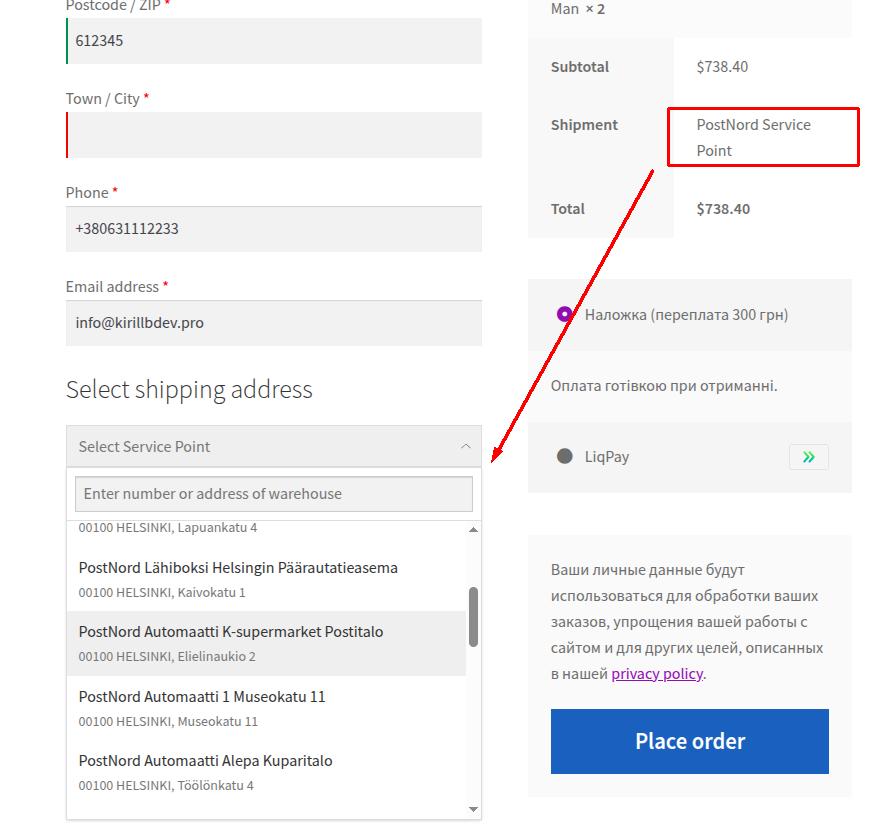
How to connect PostNord shipping method to WooCommerce
To integrate PostNord carrier with WooCommerce you need the official SmartyParcel plugin for WooCommerce.
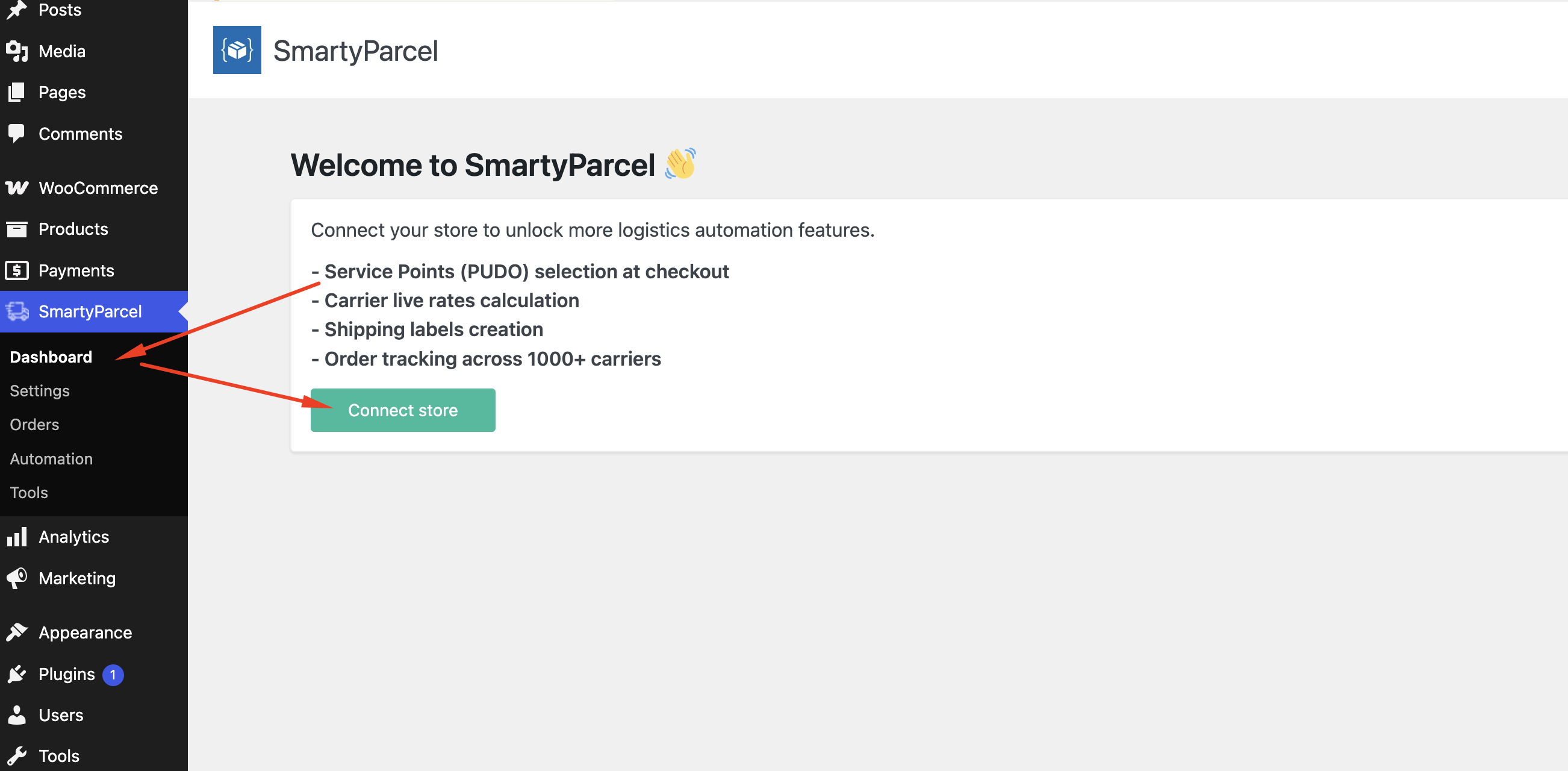
1. Open WordPress admin panel and click to the SmartyParcel -> Dashboard. You need to connect your store to platform
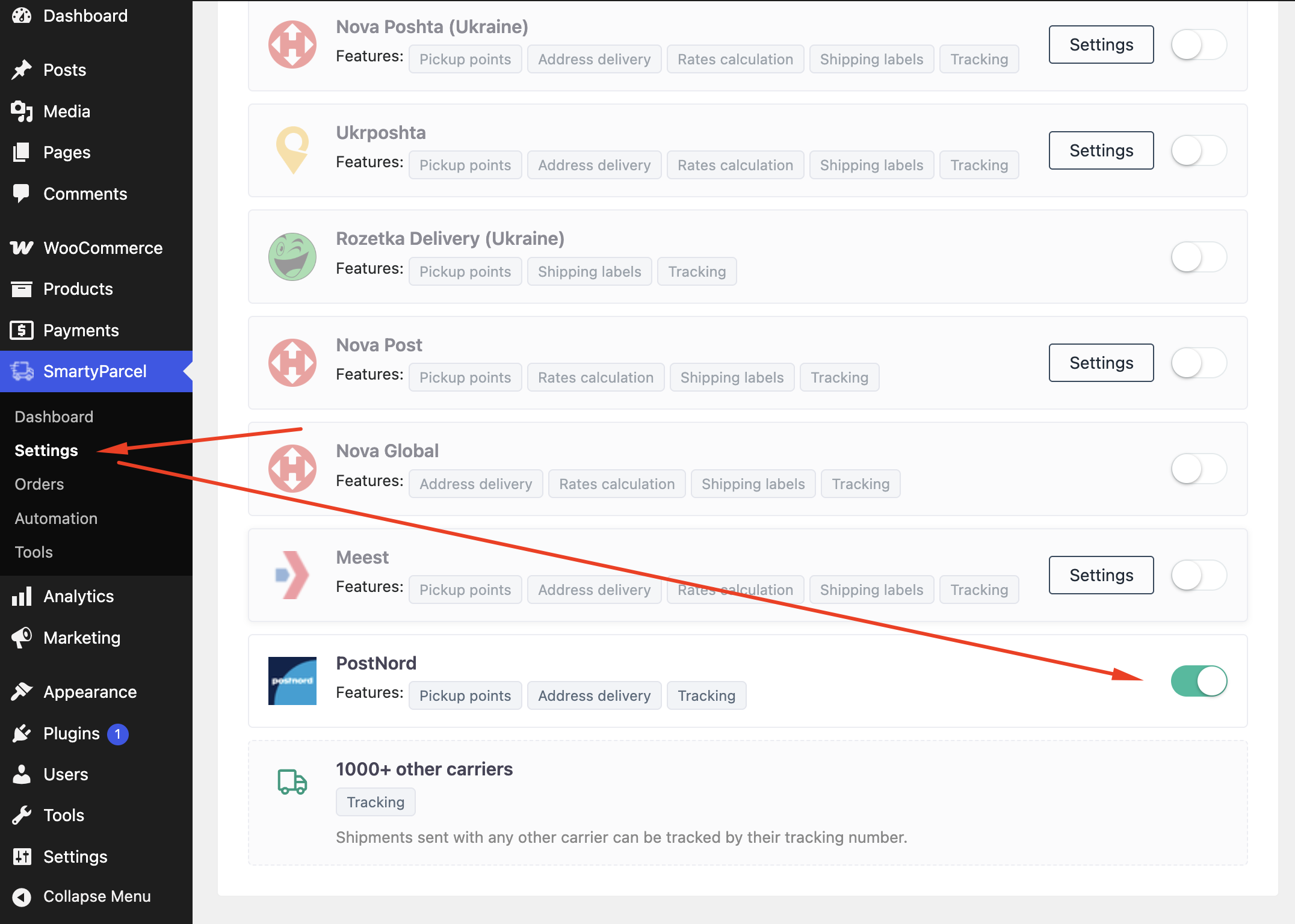
2. Open WordPress admin panel and click to nav SmartyParcel -> Settings.
3. In the carriers section find PostNord and click to the activation checkbox.
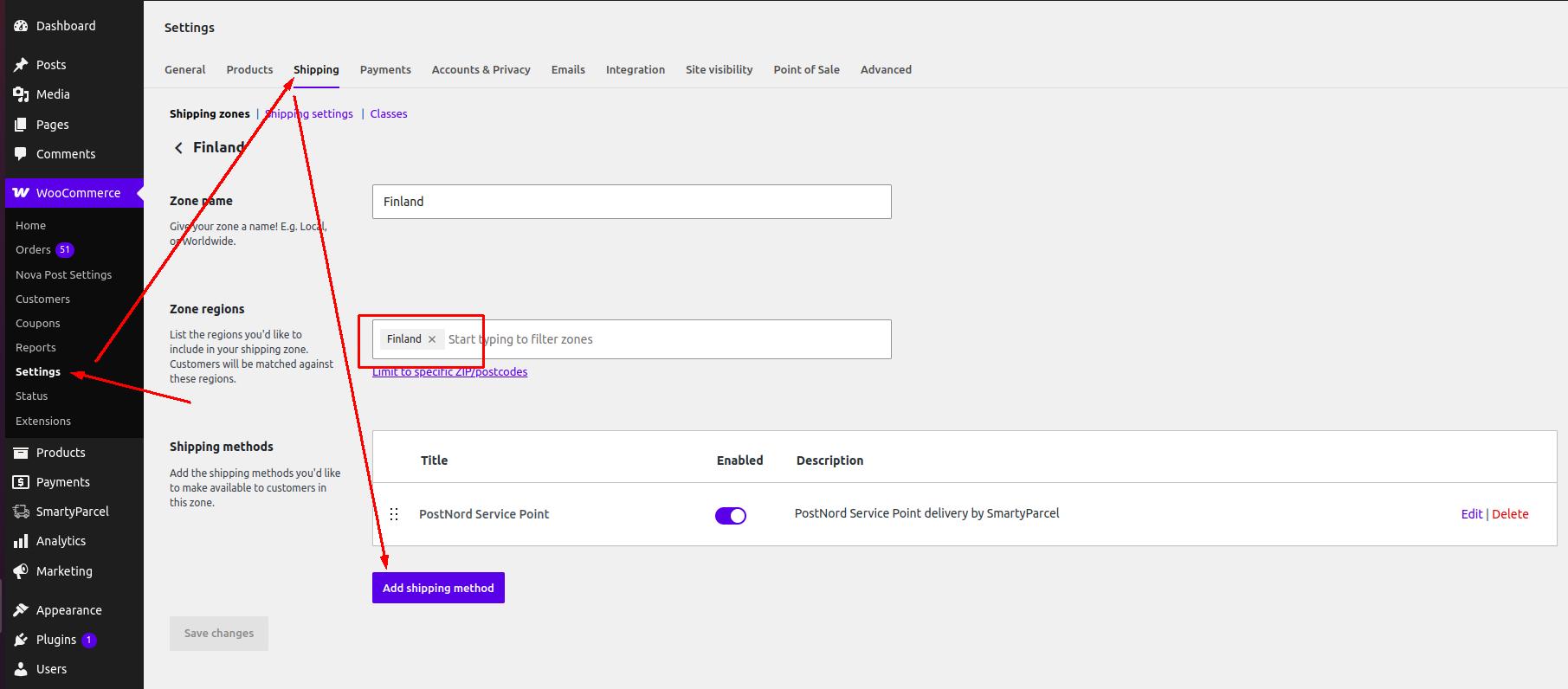
4. Go to WooCommerce -> Settings -> Shipping -> Shipping Zones. Create a new zone which supported by PostNord carrier (eg. Finland) and add PostNord Service Point shipping method.
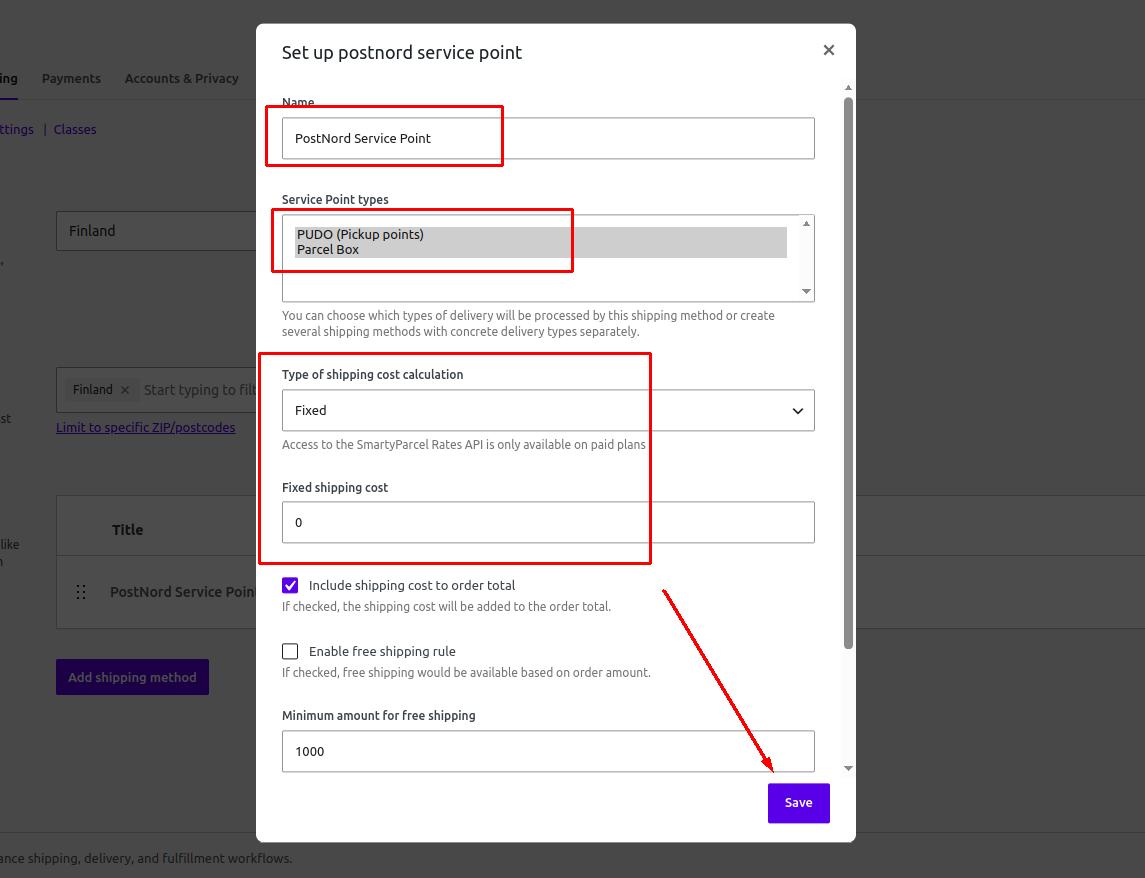
5. Edit shipping method settings as you needed and click Save.
6. Finally, open the checkout and test PostNord pickup points selection.